
The skydive app for fun jumpers
Manifest is a skydive app for iPhone built around the jump day: the loads at your dropzone, your jump replayed in 3D, your logbook, your gear and your weather, in one place. It is free to download, and jumpers use it from 225+ home dropzones in 46 countries.

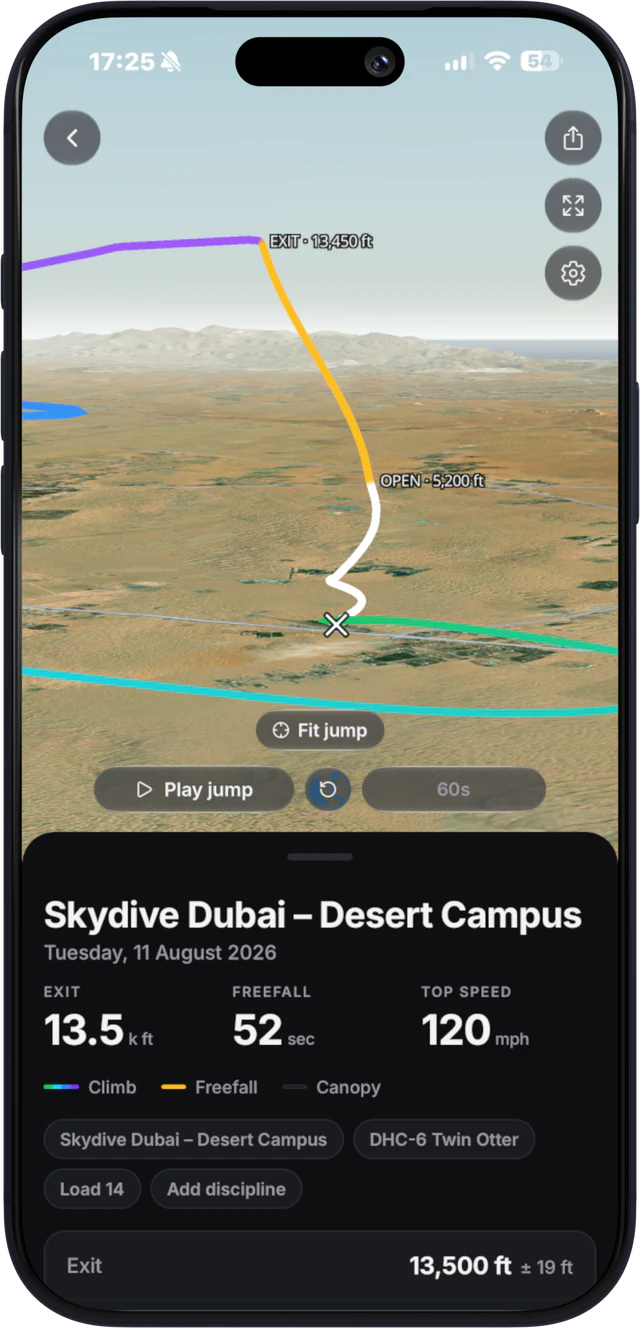
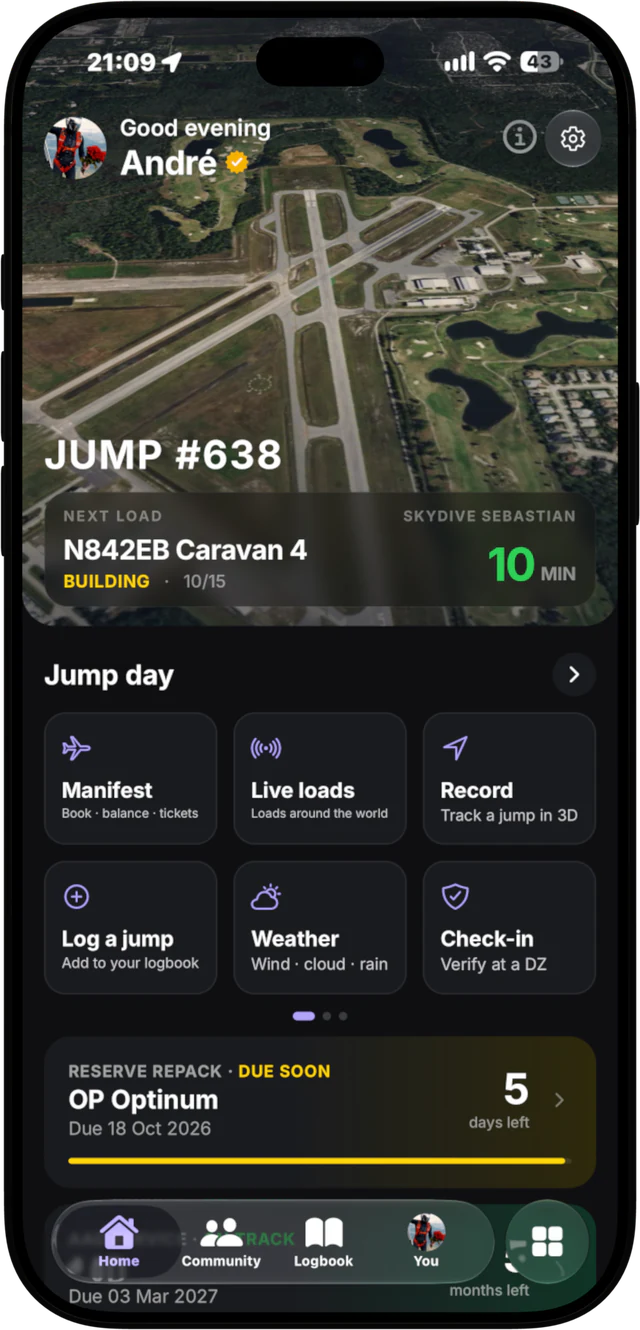
Live loads at 150+ dropzones
Loads are turning live in the app at 150+ dropzones. The board comes from the dropzone’s own manifest, so you see what the desk sees:
- Every load on the board, with the aircraft and how full it is.
- Minutes to call, counting down.
- Who is on each load, so you know who you are jumping with.
Check the board from the car, the packing mat or the next town over. No more walking to the hangar to read the screen. More on this on live skydiving loads.
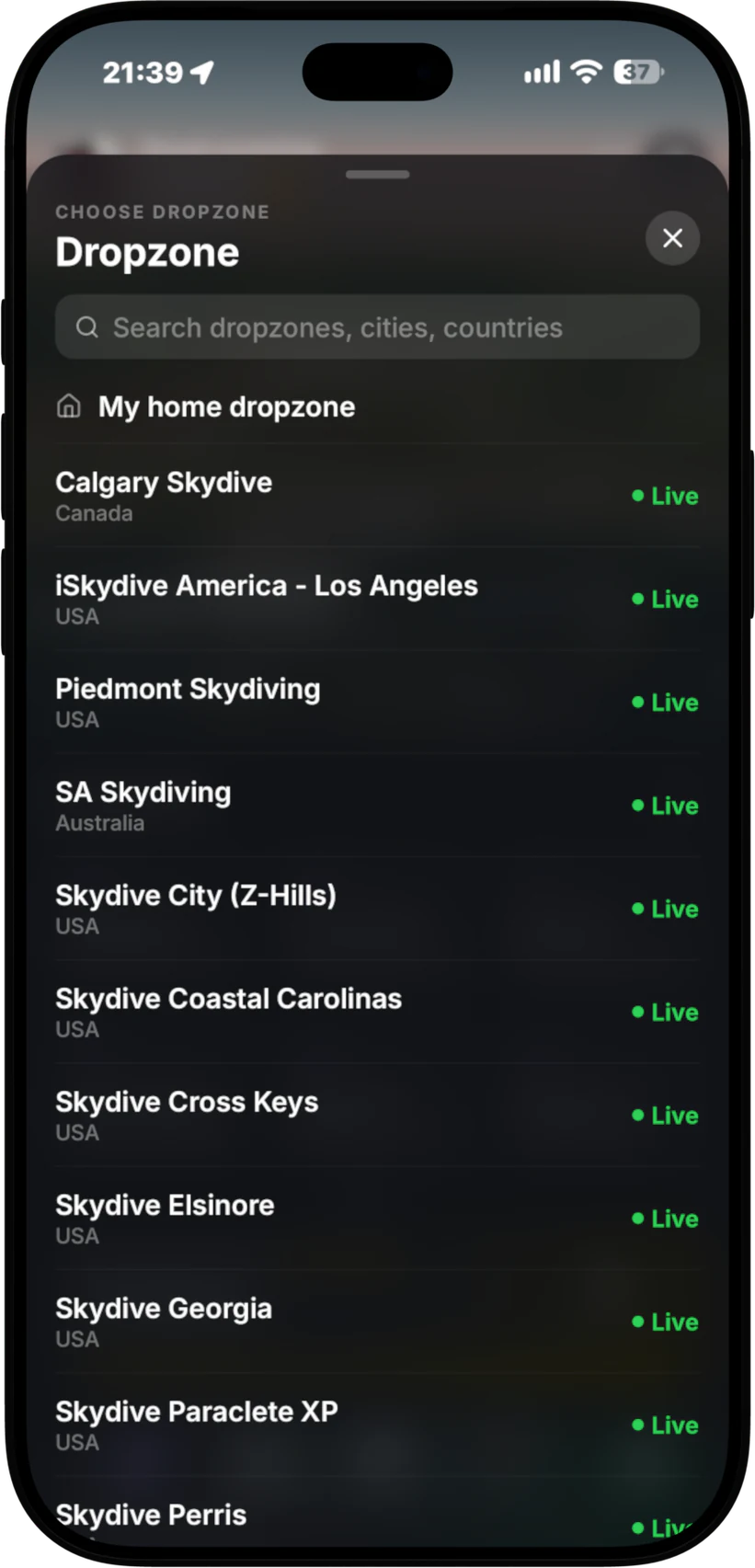
3D jump replay, free
Put the phone in a zipped pocket and record the jump with its GPS. When you land, replay the whole flight in 3D over real terrain, from the climb to the landing: exit, freefall, opening and canopy. Recording and the 3D replay are free. No logger, nothing on your helmet. The details are on 3D skydive tracking.
Your load on the Lock Screen and in the Dynamic Island
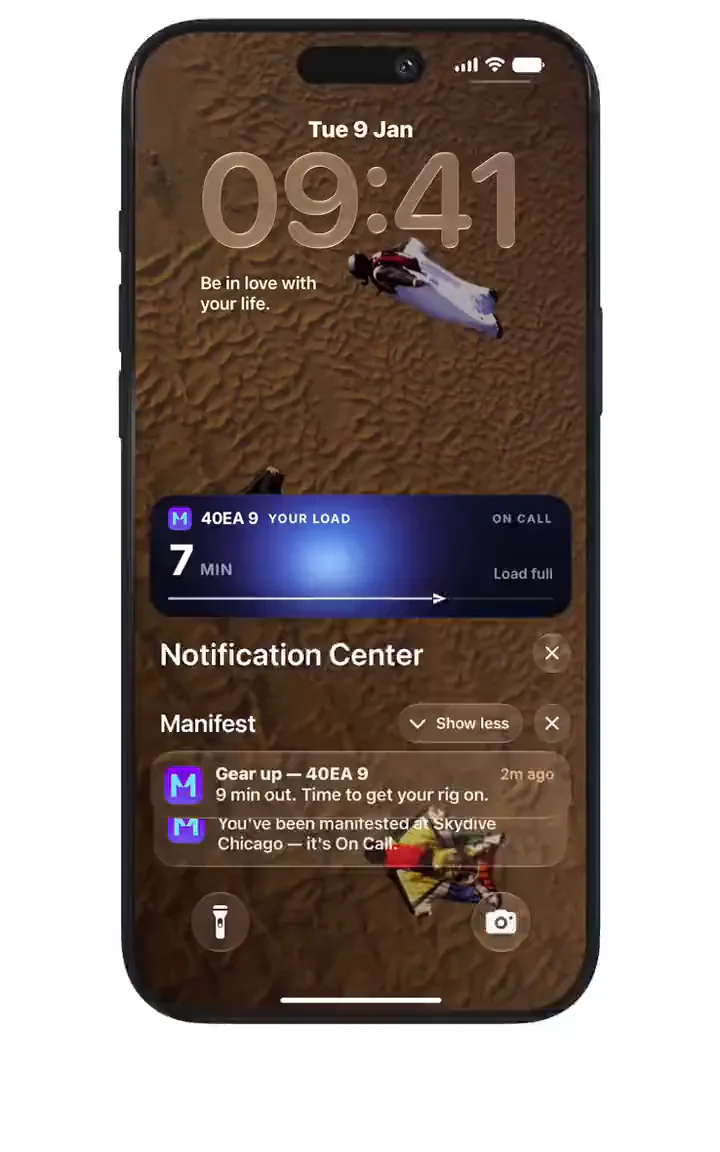
With Manifest Pro, your load sits on your Lock Screen and in the Dynamic Island with a live countdown. You get a notification at each call:
- Gear up at 15 minutes.
- 10 minute call.
- Final call at 5 minutes.
Pack, eat, talk to your group. The phone tells you when to move. At dropzones that run Manifest Desk, your load on the Lock Screen is free.
Auto-start recording
The best track is the one you did not forget to start. With Pro, the recorder arms itself 2 minutes before your load takes off, so every jump gets recorded without you touching the phone. Pro also backs up your tracks.
Self-manifest and Apple Pay top-ups
At dropzones that run Manifest Desk, the app does more:
- Book yourself, and your friends, onto a load, or join standby. The dropzone sets the limits and the desk always has the final say.
- Top up your balance with Apple Pay or card (Cash App Pay in the US). The money goes straight to the dropzone, and your balance shows on the desk right away.
- Load calls, holds and boarding reach your phone and your Lock Screen.
See how booking works on self-manifest skydiving.
Logbook with sign-offs and your Check-in Pass
Manifest keeps a logbook as one part of the app. Each jump holds the fields USPA SIM 3-1 asks for: date, dropzone, exit altitude, freefall time, discipline, landing distance and equipment. Rental and dropzone gear counts too. Jumps are signed off in person by licensed jumpers who were there.
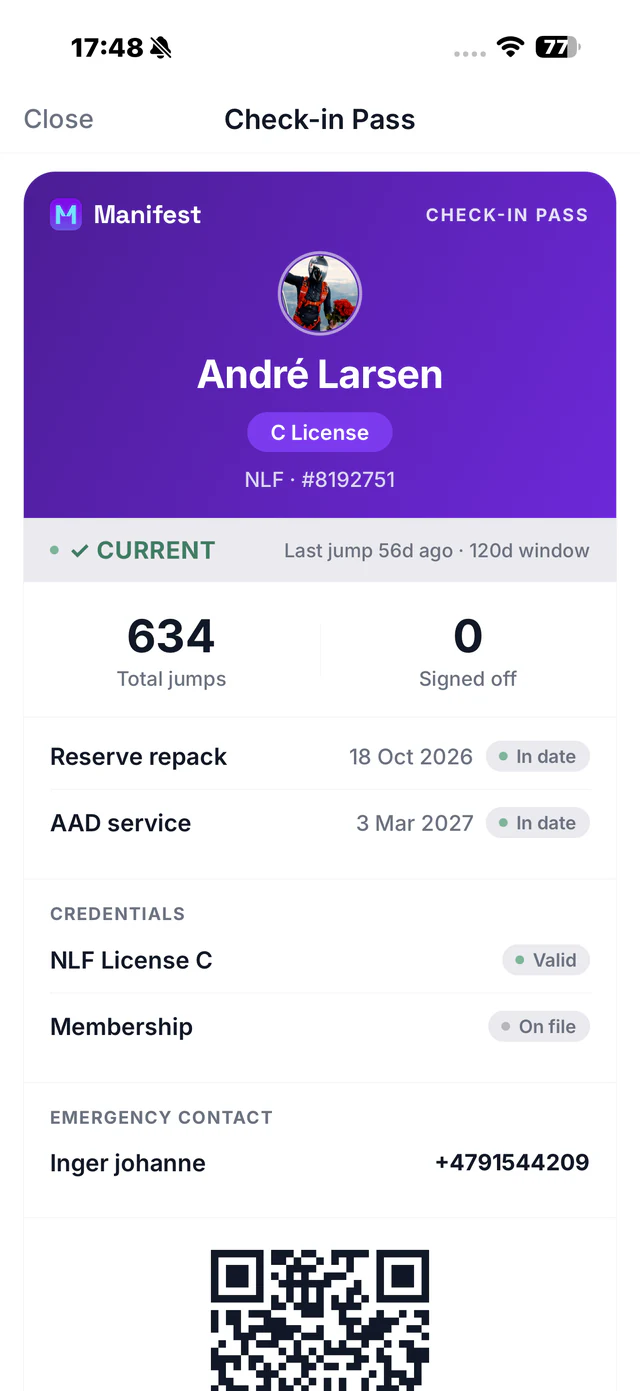
Your Check-in Pass shows your licence, jump count, currency and gear dates on one screen for the desk, and it goes into Apple Wallet. Both are free. Read more on the USPA digital logbook.
Weather and winds aloft
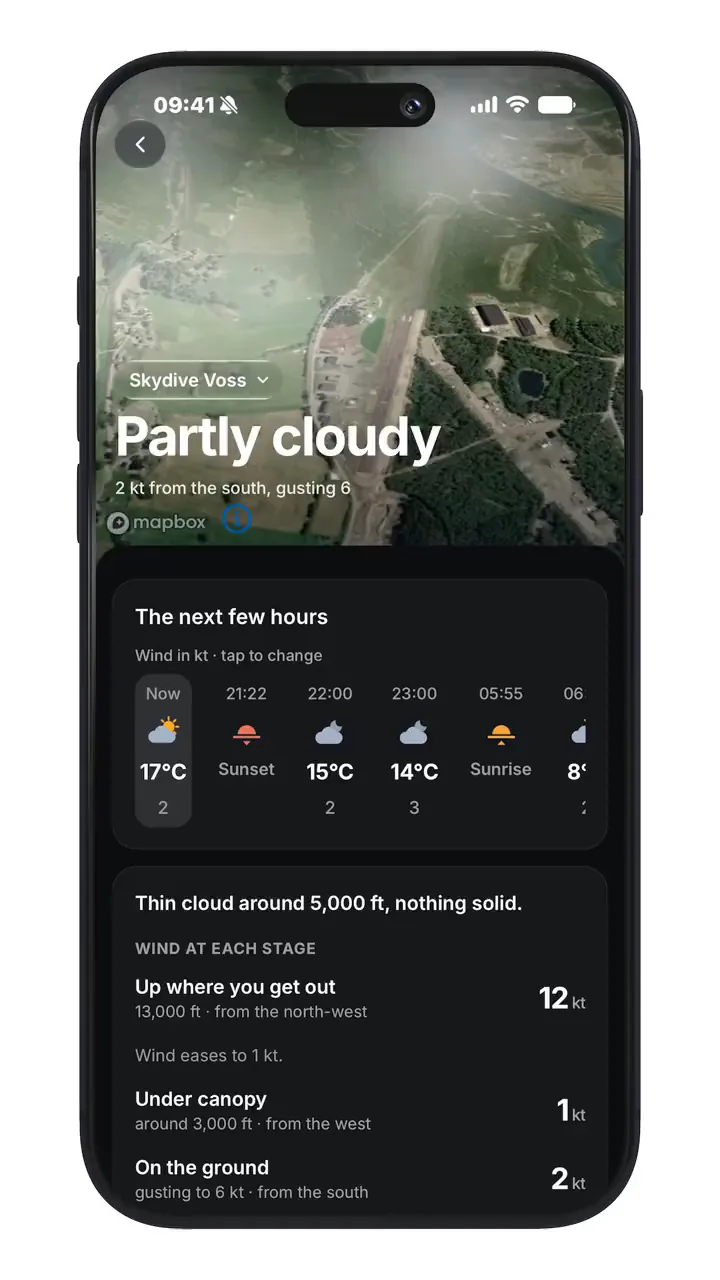
Weather built for jumping: wind, cloud and rain at the dropzone, plus winds aloft, so you know what the day looks like before you drive out. See skydiving weather.
Gear and reserve repack reminders
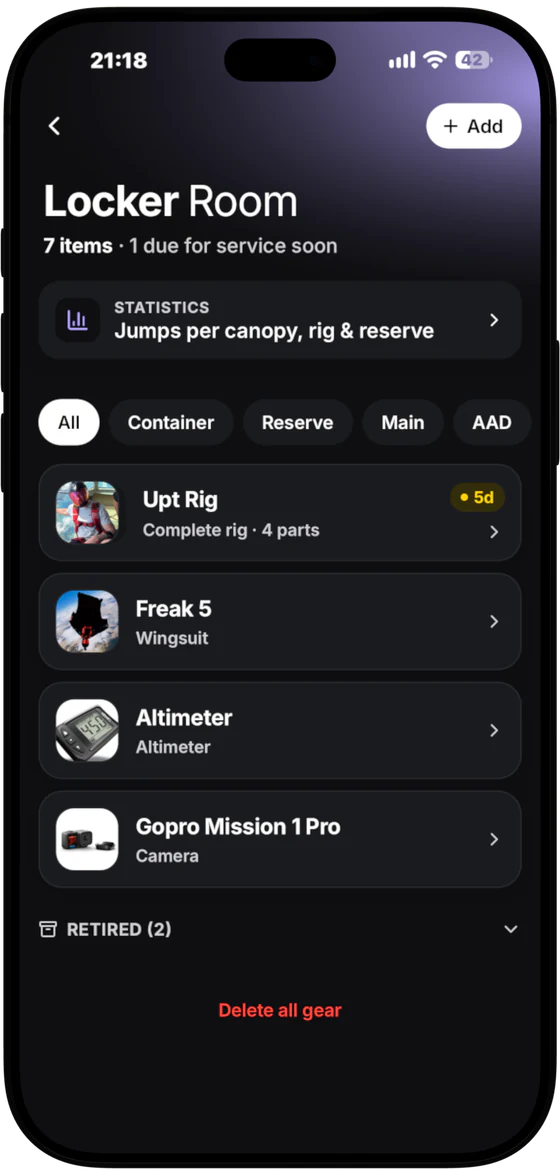
Add your rig and the app tracks your reserve repack and AAD service dates. You get reminded before they run out, not when the desk turns you away.
Dropzones, events, coaches and community
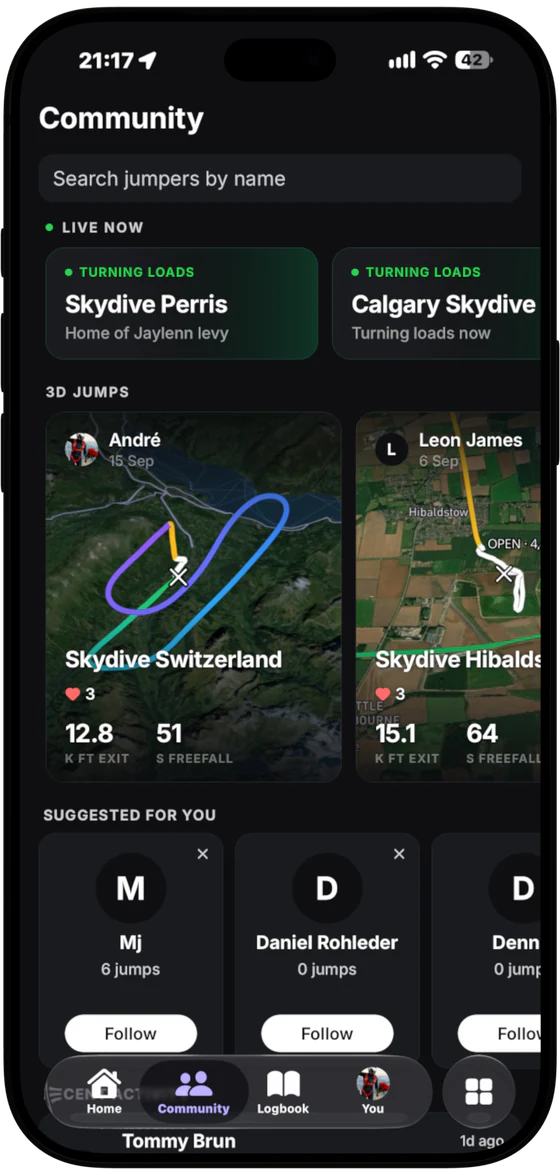
Find dropzones, see what events are coming up, find coaches, and connect with the skydiving community around you.
Free vs Pro
Free: download, live loads, recording and the 3D replay, logbook and sign-offs, Check-in Pass and Apple Wallet pass, weather and winds, gear reminders, dropzones, events, coaches and community. At Manifest Desk dropzones: self-manifest, top-ups and your load on the Lock Screen.
Manifest Pro (in-app subscription): your load on the Lock Screen and in the Dynamic Island, gear-up, 10 minute and final call notifications, auto-start recording 2 minutes before takeoff, track backup, replay stats (exit, glide, canopy distance, top canopy speed) and exports.
How it works
- Download Manifest free from the App Store.
- Set your home dropzone and add your gear.
- On jump day, watch your load and the calls.
- Record the jump from your pocket and replay it in 3D.
- Log it and get it signed off before you leave.
FAQ
What does the Manifest skydiving app do?
It shows live loads at 150+ dropzones, records your jump with your phone’s GPS and replays it in 3D, and keeps your logbook with sign-offs, your Check-in Pass, weather and winds, gear reminders, dropzones, events, coaches and community.
Is the Manifest app free?
Yes, it is free to download. Live loads, recording, the 3D replay, the logbook and the Check-in Pass are free. Manifest Pro is an in-app subscription that adds your load on the Lock Screen, auto-start recording, track backup, replay stats and exports.
Is Manifest on Android?
Manifest is on iPhone today. Android is being built now. Email me and I will tell you the day it is out.
Do I need a GPS logger to record a jump?
No. Manifest records the jump with your iPhone’s GPS. Keep the phone in a zipped pocket.
Does my dropzone need to use Manifest?
No. Live loads, the 3D replay, the logbook and weather work wherever you jump. Self-manifest, Apple Pay top-ups and the free Lock Screen load are for dropzones that run Manifest Desk.

Run a dropzone? See Manifest Desk or how Manifest works.