
Live skydiving loads on your phone
Stop refreshing the board in the hangar.

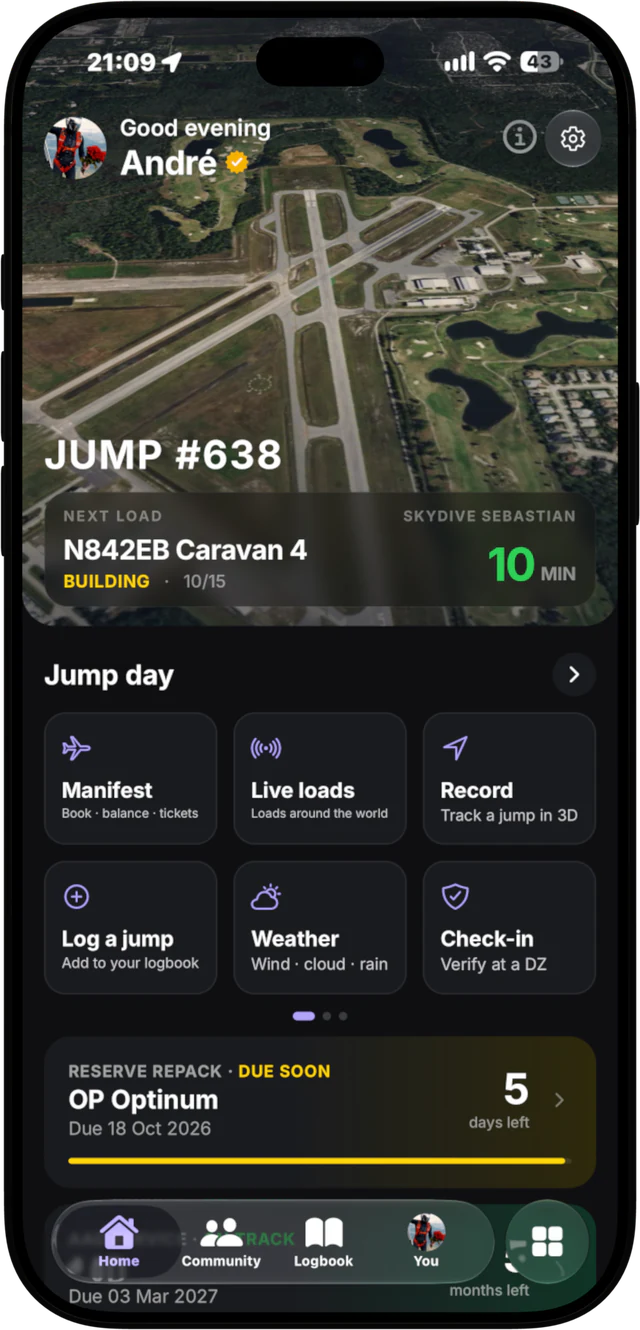
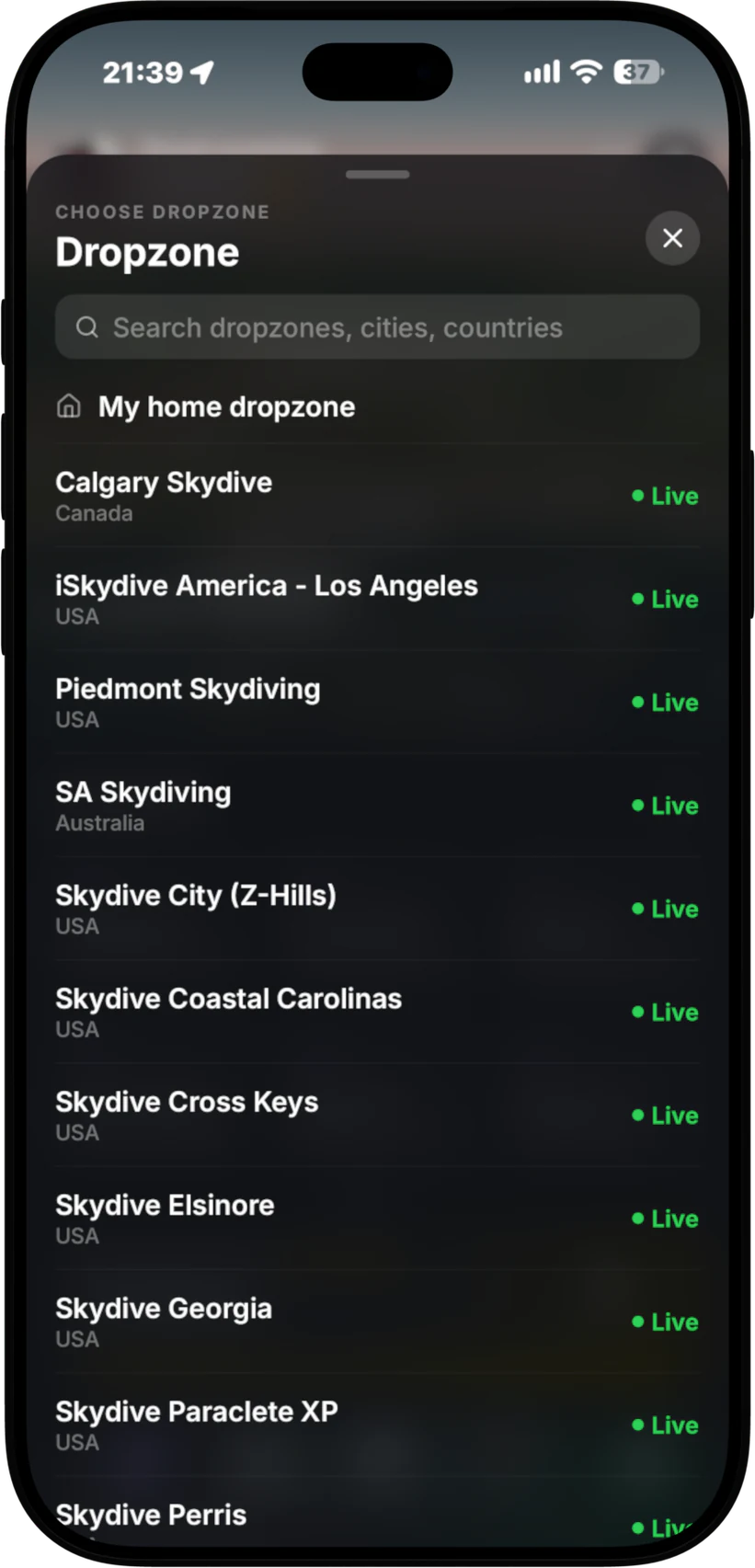
Manifest shows the loads turning live at 150+ dropzones on your iPhone: what is on call, how many minutes to the call, and who is on each load, straight from the dropzone's own manifest board.
What you see on the load board
Pick a dropzone and you get its loads for the day, the same ones the manifest desk is running. No guessing, no asking around, no walking back to the board every five minutes to answer the question every fun jumper asks: when is my load?
- The next load, with the minutes to call in big numbers, so you know if you have time to pack, eat or brief the dive.
- Load status, such as building or on call, and how full the load is.
- Who is on each load, so you can see where your friends are manifested and who you are flying with.
- Later loads for the rest of the day, each with its own countdown.
- Conditions at the top: wind, gusts, cloud and temperature for that dropzone. More on that on the skydiving weather page.
The data comes from the dropzone's own manifest board. Manifest does not make up times or estimate them from the sky. If manifest moves a load, you see it move.
How it works
- Download Manifest from the App Store. It is free on iPhone.
- Choose your dropzone. Search by name, city or country, or set your home dropzone so it opens first.
- Watch the loads turn. Next load, minutes to call and later loads, all on one screen.
- Find your name. Open a load to see who is on it and check you are where you think you are.
- Track your load. Turn on Auto-track my load and your load follows you onto the Lock Screen, so you stop scanning the list for it. That part is Manifest Pro, and free at Manifest Desk dropzones.
Your load on the Lock Screen
Looking at the app is good. Not having to look at all is better. With Manifest Pro, your load and its countdown sit on your Lock Screen and in the Dynamic Island, and your phone tells you when it matters:
- Gear up at 15 minutes.
- 10 minute call.
- Final call at 5 minutes.
Your phone can stay in your pocket while you pack, sit in the shade or get a coach jump debriefed. The countdown keeps running where you can see it at a glance, and the calls come to you instead of over a speaker you cannot hear from the packing mat.
Free at Manifest Desk dropzones. When a dropzone runs on Manifest Desk, the Lock Screen card and the calls are free for every jumper there. No Pro needed.
Why fun jumpers use it
- You stop missing loads. The call reaches you wherever you are on the dropzone.
- You stop hovering at manifest. The board is in your pocket.
- You plan the day better. Minutes to call tells you if there is time for a pack job, food or another dirt dive.
- You find your group. See who is on which load before you go looking for them.
When your dropzone is not covered yet
Live loads work at 150+ dropzones today, and we are adding more. If yours is not one of them, the rest of Manifest still works normally. You can still log your jumps and get them signed off, and you can still record every jump from your pocket and replay it in 3D. Recording and the 3D replay are free. See 3D skydive tracking for how that part works.
Want your dropzone on the board? Tell the people who run it. A dropzone can connect through Manifest Desk, the manifest system that runs the loads board and sends every call straight to the jumpers on that load. At those dropzones you can also manifest yourself from the app, and the load calls reach your Lock Screen for free.
For dropzone owners
Your jumpers already want to know when their load is. Manifest Desk runs your loads in the browser and puts them on every jumper's phone: the board, the calls, holds and the countdown. Staff press one button to call a load and every jumper on it hears about it. See how Manifest Desk works, or check the pricing.
Live loads FAQ
Which dropzones show live loads in Manifest?
Loads are turning live at 150+ dropzones, pulled from each dropzone's own manifest board. Open the dropzone list in the app: every dropzone with a green Live tag is showing its loads right now.
Is seeing live loads free?
Yes. Manifest is free to download, and seeing the loads, the minutes to call and who is on each load is free. Manifest Pro adds your load on the Lock Screen and in the Dynamic Island with gear-up, 10 minute and final-call notifications.
How do I know when my load is called?
The app shows the minutes to call for every load. With Pro, your phone also notifies you at gear up (15 minutes), at the 10 minute call and at final call (5 minutes), and keeps a live countdown on your Lock Screen. At Manifest Desk dropzones this is free.
What if my dropzone does not show live loads?
Everything else still works. You can log jumps, get them signed off, and record and replay every jump in 3D. A dropzone can connect its loads through Manifest Desk.
Is Manifest on Android?
Manifest is on iPhone today. Android is being built now. Email me and I will tell you the day it is out.
Know when your load is, without asking
Free on iPhone. Pick your dropzone and the board is in your pocket.
More from Manifest: home, the skydiving app, load calls.