
Tandem and course booking, built into Manifest Desk
Customers book and pay on their phone in three steps. Every booking lands on your desk, ready for the load.
Opens the Demo Dropzone’s booking page. Nothing is charged.

How your customers book
No account, no password, no app to download. Their phone is enough.
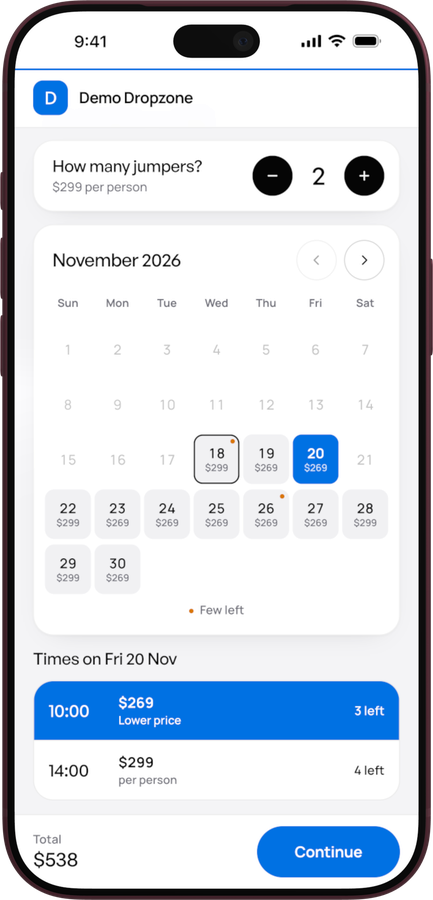
1Book
A tandem or a course, how many, the day and the time. Only open seats show.
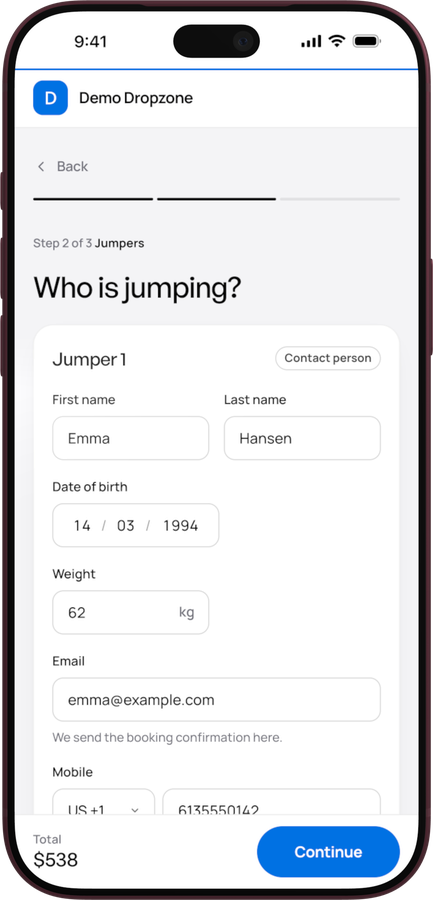
2Who is jumping
Name, date of birth and weight for each jumper. One box for the terms.
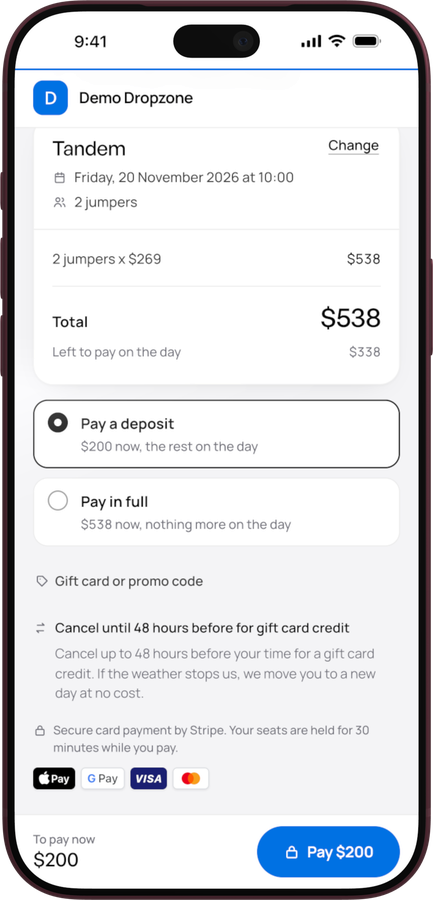
3Pay
A deposit or in full, into your own Stripe. They get an email, you get the booking.


Sample dropzone and prices.
Tandem or course
One booking page with a section for each. Or give each one its own link, for the tandem page and the course page on your website.
book.jumpmanifest.com/yourdzbook.jumpmanifest.com/yourdz?type=tandembook.jumpmanifest.com/yourdz?type=courseWhat your desk gets
Bookings are part of Manifest Desk, next to your loads, money and staff.
<script src="https://book.jumpmanifest.com/embed.js" data-dz="yourdz" data-label="Book now" defer></script>Paste it where the button should go.Pricing
Bookings is part of Manifest Desk. Contact us for a quote.
Questions
Who holds the money?
You do. Online payments go straight to your own Stripe account, the same one your top-ups use. Manifest never holds it.
Do customers need an account?
No. A name and an email. They get a link to their booking by email.
What about weather?
Move everyone on a time to a new time in one go, and they each get an email. Or message them all, or cancel the time with money back or a gift card credit.
Can customers cancel or move?
Yes, from the link in their email, until the cut-off you set. You choose what they get back: money, part of it, a gift card credit, or nothing.
Can I sell gift cards?
Yes. Gift cards from your desk work as codes on the booking page, and so do promo codes.
How do I add it to my website?
Paste one line on Wix, Squarespace or WordPress and you get a Book button that opens the booking in a popup. Or link to your booking page from Instagram, Facebook and Google.
I use another booking system today. Can I switch?
Yes. Run Manifest Desk next to it until you're ready. We set up your products and times with you, and help you move your upcoming bookings across.
See it with your own dropzone
A 20-minute video call: the booking page, the desk, and how a booking gets onto a load.